Teams and companies
Matching digital business cards for your team
Design one card for your company, then add your people. Everyone gets a card in the same design with their own name, title and contact details, and their own link and QR code. When the company’s details change, you update every card at once.
How it works
- Design your company card in the builder: the design, your logo and colors, the company name, website, address and buttons.
- Choose Cards for your team on your dashboard. Add people one by one, or paste the rows of a spreadsheet: name, job title, email and phone.
- Check each person’s link, then create the cards. Publish them at once, or keep them private until you are ready.
Change it once
A new address, logo or color: change the company card and choose Update team cards. Every card made from it follows, and each person’s own details stay as they are.
A link for every person
- Each card has a readable link under your company’s page, such as myelitecard.com/lindenstudio/anna-novak.
- Your company’s page opens with the company card and lists the team under it.
- A card’s QR code opens the card itself, so printed codes keep working if a link changes.
- From your dashboard you can make each person’s email signature and video-call background from their card.
Designs for a firm
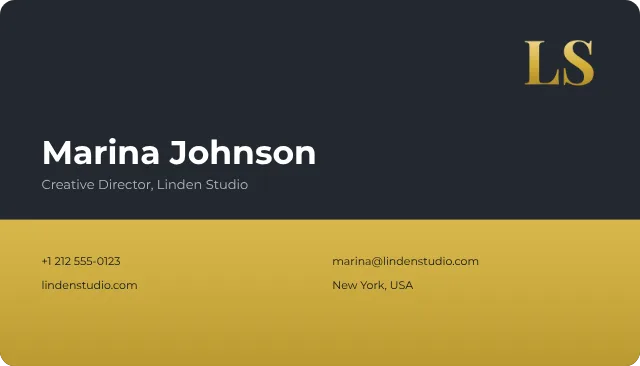
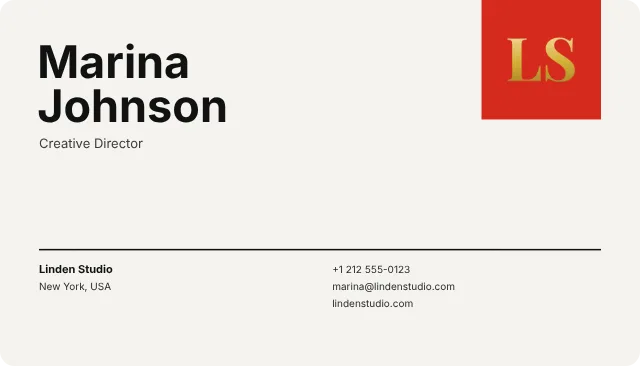
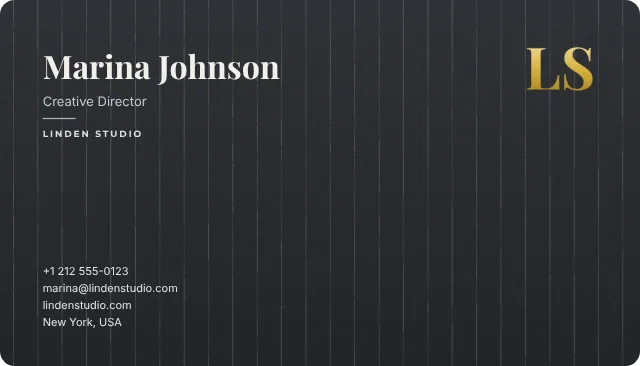
A band in your company’s color, a clean Swiss grid or charcoal pinstripe. Every card on the team turns in 3D, like your own.
Who manages the cards
Every card stays in your account: you add people, change their details and publish their cards. The people on your team don’t need an account to have a card, a link and a QR code. Details that visitors send from a team member’s card come to your account.
Every card counts toward your plan, the company card included: up to 5 on Basic ($2 a month), up to 25 on Royal ($5 a month) and as many as you need on Exclusive ($20 a month). The company card’s design has to be included in your plan, as for any card.
Keep exploring
Real estate agents
A digital business card for real estate agents
A digital business card for real estate agents: your photo and brokerage, a QR code for signs, buttons to book viewings, and buyers’ details sent to you.
Lawyers
A digital business card for lawyers
A digital business card for lawyers: a classic design, your practice areas, a button to book a consultation, and contact details clients save in one tap.
Architects and designers
A digital business card for architects and interior designers
A digital business card for architects and interior designers: designs drawn with care, your studio and portfolio, and a button to start a project.